May 11, 2026
Top Workout Reels: How to Find, Organize, and Turn Short-Form Clips Into Real Routines
May 11, 2026
Top Workout Reels: How to Find, Organize, and Turn Short-Form Clips Into Real Routines
May 11, 2026
Top Workout Reels: How to Find, Organize, and Turn Short-Form Clips Into Real Routines
A two-minute, high-energy reel can spark a full workout habit — if it’s easy to save, structure, and repeat. The appeal of top workout reels is obvious: quick demos, high production value, and discoverable movement ideas. What’s less obvious is how to turn those fleeting clips into consistent progress. This article explains why those reels work, how to evaluate them, how to build real routines from them, and how apps like Fitsaver help users import, organize, and train with reels without the mess of scattered saved videos.
Why Short-Form Reels Dominate Fitness Content
Short-form video platforms like Instagram Reels and TikTok are tailor-made for fitness: they're visual, fast, and optimized for discovery. Fitness creators condense coaching into digestible snippets — a painful lift corrected in one camera angle, a 30-second HIIT circuit, or a mobility sequence that actually works after a week of trying it.
For busy, social-media-savvy fitness enthusiasts aged 18–35, these reels act as inspiration and mini-lessons. A reel is often the first step: it introduces a new move, teases a challenge, or demonstrates a progression. The real value comes when those sparks are turned into structured, repeatable workouts.
What Makes the “Top Workout Reels” Effective?
Not all reels are created equal. The best ones share a few key traits that make them easy to adopt and safe to follow:
Clear demonstration — Movements shown from useful angles with steady pacing so viewers can learn technique.
Progressions and modifications — Alternatives for beginners and intensifiers for advanced trainees.
Concise cues — Quick coaching points that cue form and breathing rather than vague slogans.
Time or rep guidance — Reels that specify rounds, intervals, or rep ranges are instantly more usable.
High production choices — Clean captions, visible equipment, and clear audio make the reel practical, not just aesthetic.
Repeatable structure — Circuits, AMRAPs, EMOMs, or supersets that translate into a 15–45 minute session.
Categories of Top Workout Reels and How to Use Them
Reels fall into categories that match common training needs. Knowing the category helps decide where a reel fits in a workout plan.
1. HIIT and Metabolic Circuits
Short, intense intervals designed to spike the heart rate. Ideal for fat-loss days or conditioning sessions.
How to use it: Pair a 20–30 second work : 10–15 second rest reel with 4–6 rounds for a quick metabolic session.
Example format: 30s burpees, 20s rest; 30s kettlebell swings, 20s rest; repeat 4 rounds.
2. Strength-Focused Reels
Demonstrates lifts, progressive overload tips, or a short accessory circuit. Great for a gym day or home-equipment session.
How to use it: Convert a single-move reel into sets and reps (e.g., 4 sets of 6–8 reps) and use it as the session’s main lift.
3. Mobility and Recovery Reels
Breath work, joint flows, and stretching sequences that help recovery or warm-up.
How to use it: Save mobility reels as a consistent warm-up routine before heavy sessions or as a 10–15 minute end-of-day recovery slot.
4. Core and Stability Reels
Short circuits targeting anti-rotation, planks, or dynamic core drills.
How to use it: Mix core reels into upper- or lower-body days, or run a focused 10–15 minute core finisher.
5. Equipment-Free or Minimal Gear Reels
Perfect for travel, hotel rooms, or quick home sessions.
How to use it: Stack 3–4 equipment-free reels for a compact, full-body workout that needs zero setup.
6. Skill and Progression Reels
Focused on single-skill development like pistol squats, handstands, or pull-up progressions.
How to use it: Treat a skill reel like a mini-program — practice for short, frequent sessions with clear progress markers.
How to Vet Reels for Safety and Quality
Curating the top workout reels requires a critical eye. A flashy clip doesn’t guarantee good coaching.
Check credentials and reputation. Is the creator a coach, physiotherapist, or an experienced athlete? That matters for technical moves.
Look for full context. If a reel shows 3 reps of an advanced move with no clue about build-up or frequency, it may not be a standalone workout.
Beware of extremes. Reels that push maximal intensity every day, recommend unsafe loading without cues, or claim instant transformations are red flags.
Assess progression options. Good reels show regressions and progressions — that’s how users can scale safely.
Turning Top Workout Reels Into Structured Routines
Here’s a practical system for transforming scattered reels into planned workouts that produce results.
Define the goal. Is the focus strength, conditioning, mobility, aesthetics, or skill development?
Pick 3–6 complementary reels. Choose one main movement (a strength reel), one accessory/core reel, a metabolic finisher, and a warm-up/mobility reel.
Assign sets, reps, and rest. Convert a 30-second demo into a 3–4 set protocol or a 4-round circuit with specific work/rest ratios.
Map the order. Warm-up → main lift/compound movement → accessory work → finisher → mobility cooldown.
Schedule frequency and progression. Repeat the routine 1–3 times per week with small progressive increases in load, reps, or rounds.
Record and adapt. After each session, note what felt easy or too hard and tweak sets/reps accordingly.
Sample Routine 1: 20-Minute Full-Body HIIT (From Reels)
Warm-up reel (5 minutes): joint mobility + dynamic warm-up
Main circuit (12 minutes): 40s work : 20s rest — 3 rounds of: jump squats, push-up variations, kettlebell swings
Core finisher reel (3 minutes): plank variations
Sample Routine 2: Lower-Body Strength (45 Minutes)
Warm-up reel (10 minutes): hip mobility + band activation
Main lift reel: 5 sets of 5 back squats (use cues from the reel)
Accessory reel: 3 sets of 10 Bulgarian split squats
Finisher reel: 4 rounds of 45s sled/alternating lunges (or single-leg hop variations)
Sample Routine 3: Quick Office Mobility (10 Minutes)
Neck-to-ankle mobility reel: 10 minutes focused on desk posture and thoracic rotations
Repeat daily or between meetings
How Fitsaver Transforms Top Workout Reels Into Organized Training
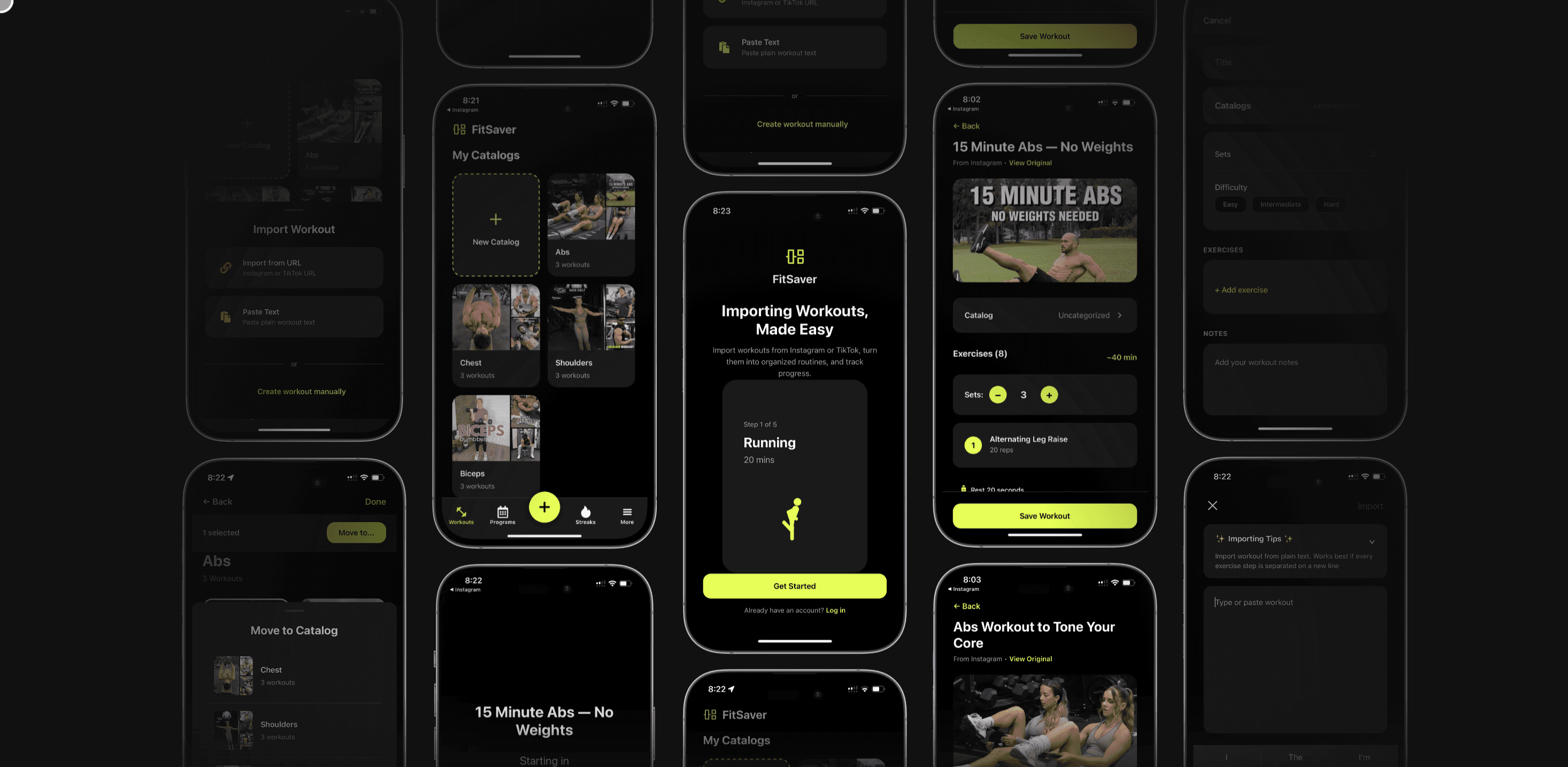
Raw saved reels are inspiration — but Fitsaver turns them into action. The app is built around the exact problem the audience faces: scattered saved IG and TikTok videos that never become consistent workouts. Fitsaver lets users import reels, categorize them, build routines, and train with an in-app workout timer that keeps them focused.
Importing and Saving Reels
Users often discover a reel during a scroll session and want it later. Fitsaver streamlines that process:
Open the reel on Instagram or TikTok and tap the share icon.
Select Copy Link.
Open the Fitsaver app and choose Import Workout (or tap the “+” to add a new item).
Paste the reel link. Fitsaver pulls the video preview, suggested exercise name, and creator metadata.
Assign the reel to a catalog folder — for example: “Leg Day,” “Mobility,” or “Quick HIIT.” Users can add tags like “no-equipment,” “15-min,” or “progression.”
Add custom notes: desired sets/reps, suggested rest, or personalized modifications (e.g., “substitute lunges for jump squats”).
Once saved, the reel is stored in an organized catalog folder so it’s no longer lost among hundreds of saved posts. Users can access it when prepping a workout or create a routine directly from saved items.
Building Routines From Saved Reels
Fitsaver simplifies assembling a session:
Open a catalog folder and select multiple saved reels.
Tap Create Routine. The app lays out the selected reels as workout steps.
Customize each step with sets, reps, or interval timings and add rest periods between steps or sets.
Save the routine under a descriptive name (e.g., “Monday Full-Body HIIT — 20 Min”).
That routine becomes a reusable template. Users can duplicate it for progression, tweak intensity, or mark a routine as a favorite.
Training With an Integrated Workout Timer
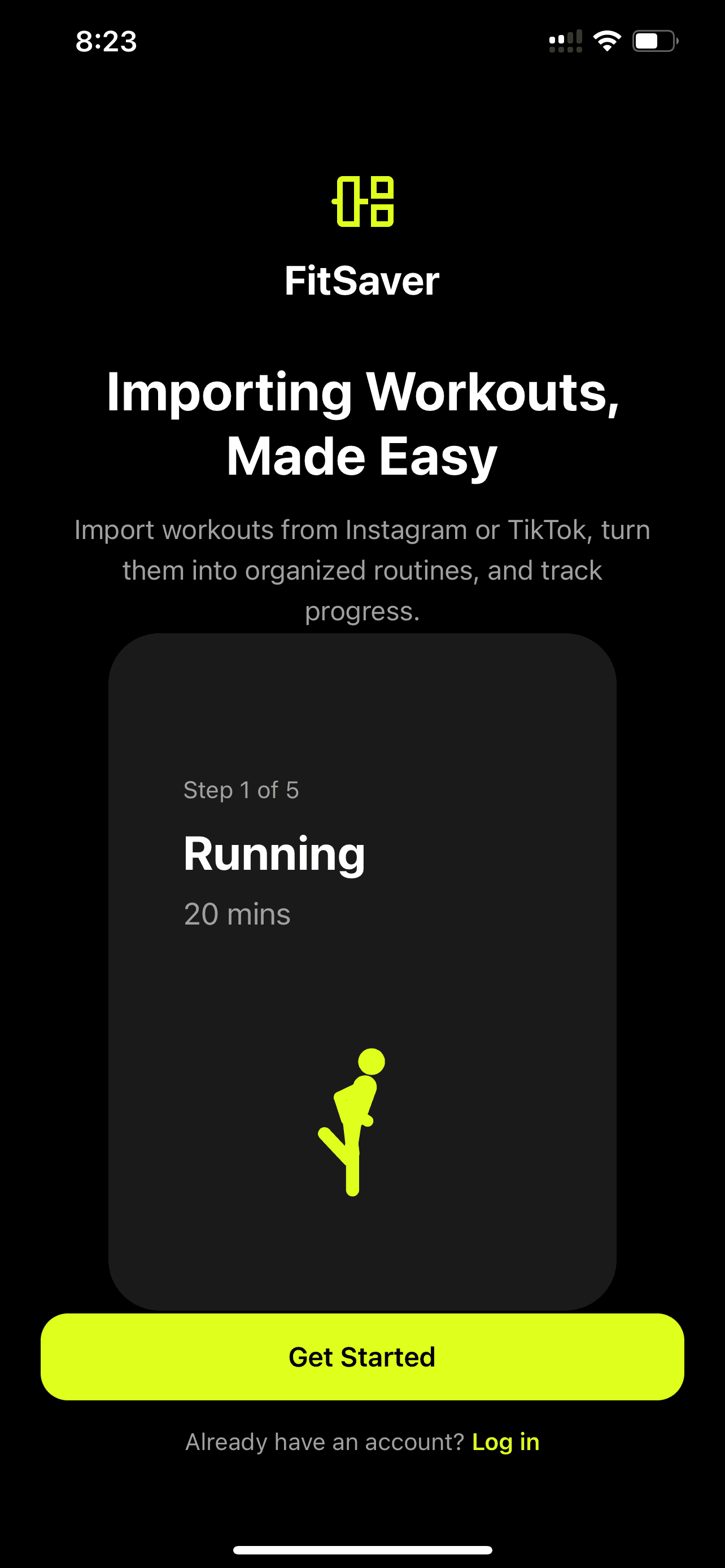
One of the biggest benefits is training distraction-free. Fitsaver’s workout timer helps users follow top workout reels exactly as planned.
Interval mode runs through work/rest cycles for HIIT-style reels.
Set/rep mode prompts sets and rest for strength-focused reels.
Auto-advance moves the session from one reel to the next, so the user doesn’t need to swipe back to the phone between exercises.
On-screen cues and countdowns help maintain pacing and focus.
Users can also log workout notes and completion data directly in the app, creating a training history that turns ad-hoc reels into a measurable plan of progress.
Practical Tips for Using Top Workout Reels Effectively
Saving a reel isn’t progress unless it becomes practice. These practical habits help users convert reels into gains.
Curate fewer, higher-quality reels. A small, well-organized catalog beats a massive pile of clips. Tag and folder reels by goal and duration.
Set micro-goals. If a reel shows a 30-day challenge, break it into weekly objectives and track them in the app.
Use the timer as the single source of truth. Following a consistent work/rest structure prevents overtraining or sloppy form from rushing.
Mix content types. Balance a week with strength-focused reels, conditioning reels, and mobility reels to avoid burnout.
Customize intensity. Add more rounds or increase load gradually instead of trying to match a creator’s output immediately.
How to Create Top Workout Reels (For Trainers and Creators)
Creators who want their reels to be saved and used should focus on practical clarity. Here are quick tips that actually make viewers add a reel to their workout rotation:
Start with a clear hook. Show the full movement in the first 2–3 seconds so people immediately know what they’ll learn.
Include text overlays with reps and timing. Silent clips won’t help someone recreate the routine later.
Offer regressions and progressions. Two quick alternatives widen the reel’s audience.
Use good lighting and multiple angles. Viewers need form cues to replicate movements safely.
End with a call-to-action that’s useful. “Save for leg day” is better than a vague “like and share.”
Common Mistakes to Avoid When Using Reels as Workouts
Reels are a great tool, but users make preventable mistakes that stall progress:
Copying without context. A reel doesn’t always specify frequency or recovery needs.
Mixing too many intense reels. Stacking several max-effort sessions in a short span leads to fatigue.
Neglecting progressive overload. Reels often show single sessions — users must intentionally increase load or volume over time.
Ignoring mobility and recovery. Reels tilted toward intensity make mobility and recovery sessions feel optional, but they're essential for longevity.
Tools and Gear That Pair Well With Reels
Minimal gear enables maximal flexibility. A few accessible tools make reel-based workouts far more effective:
Adjustable dumbbells or a kettlebell — versatile and space-efficient.
Resistance bands — great for activation and scaling progressions.
A reliable mat — for comfort during core and mobility circuits.
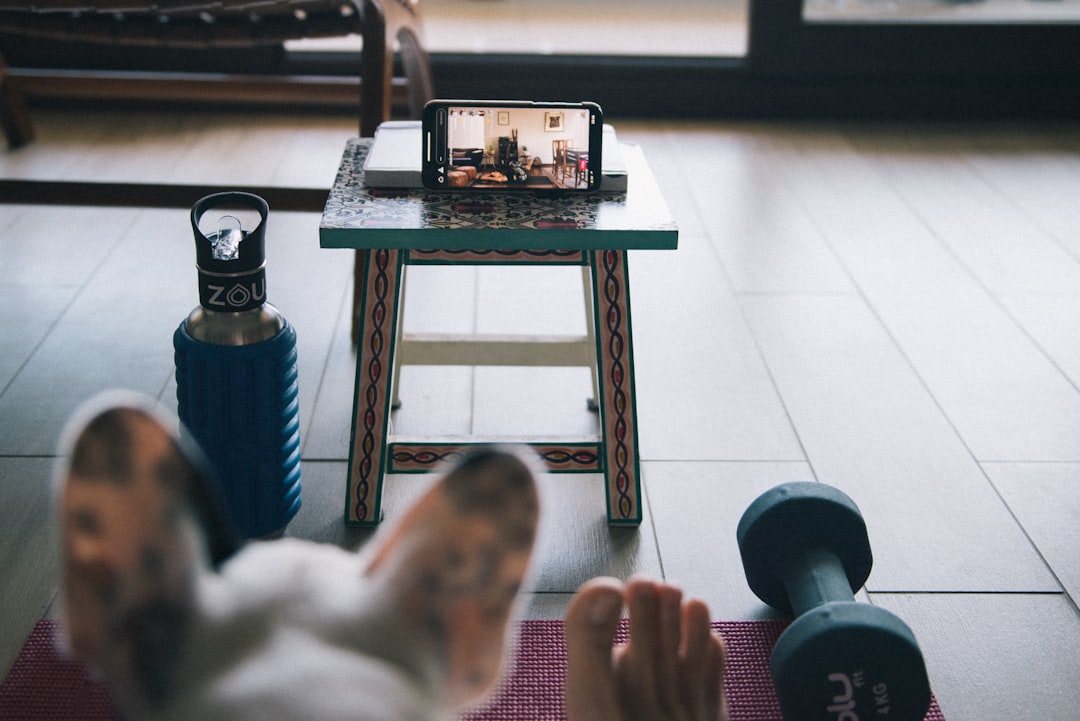
A phone mount — to play along hands-free while following a reel or Fitsaver routine.
Workout timer or smartwatch — even though Fitsaver includes an in-app timer, a watch helps during outdoor sessions or paired training.
Measuring Progress and Staying Accountable
Turning reels into results requires tracking. Users who log data see whether a saved reel is building strength, endurance, or mobility.
Track load, reps, and rounds. Note increases in weight, reps, or rounds in the app.
Record subjective effort. The rate of perceived exertion (RPE) helps guide progression when weight increments aren’t available.
Use photos and short videos. Periodic progress checks, especially for skill-based reels (handstands, pistol squats), make improvements visible.
Plan a weekly structure. Assign saved reels to specific training days to create predictable, consistent programming.
Case Study: From Saved Reel to Measurable Strength Gain
Consider a user who saved a squat-depth cue reel and a related accessory reel for glute activation. By importing those reels into Fitsaver and creating a “Squat Focus” routine — warm-up reel → 4 sets of 6–8 back squats (based on the strength reel) → 3 accessory sets — the user follows the routine twice weekly. They log weights and notes in the app, adding 5 pounds to the bar every two weeks. Within eight weeks, increased depth, comfort under load, and a 10–15 lb increase demonstrate that a single well-curated reel can drive real progress when paired with structure.
Frequently Asked Questions
How can users import Instagram Reels or TikTok videos into Fitsaver?
Users copy the reel link from Instagram or TikTok, open Fitsaver, choose the import option, paste the link, and assign the reel to a catalog folder. They can add notes and set recommended sets/reps or timer settings before saving.
Can Fitsaver run a routine without switching apps during a workout?
Yes. Fitsaver’s in-app workout timer and auto-advance features let users follow an entire routine without swiping back to social media. That keeps workouts focused and distraction-free.
What should users look for when choosing the top workout reels to save?
Look for clear demonstrations, specified rep or time schemes, regressions/progressions, and trustworthy coaching cues. Reels that translate easily into sets, rest, and progression are the most useful to save.
How often should someone repeat a routine built from reels?
It depends on the goal. Strength-focused routines benefit from 1–3 weekly repetitions with rest days. Conditioning reels can be run 2–4 times weekly with careful recovery. Mobility reels work well daily or as pre/post workouts. Whatever the schedule, tracking and gradual progression are key.
Is it safe to follow reels for advanced moves?
Reels can demonstrate advanced moves, but users should ensure they have the prerequisite strength and mobility. Look for regressions in the reel, and consider consulting a coach for high-risk lifts or unique limitations.
Conclusion
Top workout reels are more than scrollable inspiration — they’re micro-lessons that, when curated and structured, become consistent, measurable training. The missing link for many enthusiasts is organization and execution: saving a reel is easy, but turning it into a repeatable routine isn’t. That’s where organization tools like Fitsaver matter. By importing reels into purpose-built catalog folders, building routines from saved clips, and using an integrated workout timer, users can stop collecting ideas and start making progress.
For busy, social-media-savvy fitness enthusiasts, the smartest strategy is simple: pick fewer, higher-quality reels, categorize them by goal, and build routines with clear progression. When they do that, a 30-second reel becomes a reliable stepping stone toward stronger, fitter outcomes — and the whole process becomes enjoyable rather than chaotic.

A two-minute, high-energy reel can spark a full workout habit — if it’s easy to save, structure, and repeat. The appeal of top workout reels is obvious: quick demos, high production value, and discoverable movement ideas. What’s less obvious is how to turn those fleeting clips into consistent progress. This article explains why those reels work, how to evaluate them, how to build real routines from them, and how apps like Fitsaver help users import, organize, and train with reels without the mess of scattered saved videos.
Why Short-Form Reels Dominate Fitness Content
Short-form video platforms like Instagram Reels and TikTok are tailor-made for fitness: they're visual, fast, and optimized for discovery. Fitness creators condense coaching into digestible snippets — a painful lift corrected in one camera angle, a 30-second HIIT circuit, or a mobility sequence that actually works after a week of trying it.
For busy, social-media-savvy fitness enthusiasts aged 18–35, these reels act as inspiration and mini-lessons. A reel is often the first step: it introduces a new move, teases a challenge, or demonstrates a progression. The real value comes when those sparks are turned into structured, repeatable workouts.
What Makes the “Top Workout Reels” Effective?
Not all reels are created equal. The best ones share a few key traits that make them easy to adopt and safe to follow:
Clear demonstration — Movements shown from useful angles with steady pacing so viewers can learn technique.
Progressions and modifications — Alternatives for beginners and intensifiers for advanced trainees.
Concise cues — Quick coaching points that cue form and breathing rather than vague slogans.
Time or rep guidance — Reels that specify rounds, intervals, or rep ranges are instantly more usable.
High production choices — Clean captions, visible equipment, and clear audio make the reel practical, not just aesthetic.
Repeatable structure — Circuits, AMRAPs, EMOMs, or supersets that translate into a 15–45 minute session.
Categories of Top Workout Reels and How to Use Them
Reels fall into categories that match common training needs. Knowing the category helps decide where a reel fits in a workout plan.
1. HIIT and Metabolic Circuits
Short, intense intervals designed to spike the heart rate. Ideal for fat-loss days or conditioning sessions.
How to use it: Pair a 20–30 second work : 10–15 second rest reel with 4–6 rounds for a quick metabolic session.
Example format: 30s burpees, 20s rest; 30s kettlebell swings, 20s rest; repeat 4 rounds.
2. Strength-Focused Reels
Demonstrates lifts, progressive overload tips, or a short accessory circuit. Great for a gym day or home-equipment session.
How to use it: Convert a single-move reel into sets and reps (e.g., 4 sets of 6–8 reps) and use it as the session’s main lift.
3. Mobility and Recovery Reels
Breath work, joint flows, and stretching sequences that help recovery or warm-up.
How to use it: Save mobility reels as a consistent warm-up routine before heavy sessions or as a 10–15 minute end-of-day recovery slot.
4. Core and Stability Reels
Short circuits targeting anti-rotation, planks, or dynamic core drills.
How to use it: Mix core reels into upper- or lower-body days, or run a focused 10–15 minute core finisher.
5. Equipment-Free or Minimal Gear Reels
Perfect for travel, hotel rooms, or quick home sessions.
How to use it: Stack 3–4 equipment-free reels for a compact, full-body workout that needs zero setup.
6. Skill and Progression Reels
Focused on single-skill development like pistol squats, handstands, or pull-up progressions.
How to use it: Treat a skill reel like a mini-program — practice for short, frequent sessions with clear progress markers.
How to Vet Reels for Safety and Quality
Curating the top workout reels requires a critical eye. A flashy clip doesn’t guarantee good coaching.
Check credentials and reputation. Is the creator a coach, physiotherapist, or an experienced athlete? That matters for technical moves.
Look for full context. If a reel shows 3 reps of an advanced move with no clue about build-up or frequency, it may not be a standalone workout.
Beware of extremes. Reels that push maximal intensity every day, recommend unsafe loading without cues, or claim instant transformations are red flags.
Assess progression options. Good reels show regressions and progressions — that’s how users can scale safely.
Turning Top Workout Reels Into Structured Routines
Here’s a practical system for transforming scattered reels into planned workouts that produce results.
Define the goal. Is the focus strength, conditioning, mobility, aesthetics, or skill development?
Pick 3–6 complementary reels. Choose one main movement (a strength reel), one accessory/core reel, a metabolic finisher, and a warm-up/mobility reel.
Assign sets, reps, and rest. Convert a 30-second demo into a 3–4 set protocol or a 4-round circuit with specific work/rest ratios.
Map the order. Warm-up → main lift/compound movement → accessory work → finisher → mobility cooldown.
Schedule frequency and progression. Repeat the routine 1–3 times per week with small progressive increases in load, reps, or rounds.
Record and adapt. After each session, note what felt easy or too hard and tweak sets/reps accordingly.
Sample Routine 1: 20-Minute Full-Body HIIT (From Reels)
Warm-up reel (5 minutes): joint mobility + dynamic warm-up
Main circuit (12 minutes): 40s work : 20s rest — 3 rounds of: jump squats, push-up variations, kettlebell swings
Core finisher reel (3 minutes): plank variations
Sample Routine 2: Lower-Body Strength (45 Minutes)
Warm-up reel (10 minutes): hip mobility + band activation
Main lift reel: 5 sets of 5 back squats (use cues from the reel)
Accessory reel: 3 sets of 10 Bulgarian split squats
Finisher reel: 4 rounds of 45s sled/alternating lunges (or single-leg hop variations)
Sample Routine 3: Quick Office Mobility (10 Minutes)
Neck-to-ankle mobility reel: 10 minutes focused on desk posture and thoracic rotations
Repeat daily or between meetings
How Fitsaver Transforms Top Workout Reels Into Organized Training
Raw saved reels are inspiration — but Fitsaver turns them into action. The app is built around the exact problem the audience faces: scattered saved IG and TikTok videos that never become consistent workouts. Fitsaver lets users import reels, categorize them, build routines, and train with an in-app workout timer that keeps them focused.
Importing and Saving Reels
Users often discover a reel during a scroll session and want it later. Fitsaver streamlines that process:
Open the reel on Instagram or TikTok and tap the share icon.
Select Copy Link.
Open the Fitsaver app and choose Import Workout (or tap the “+” to add a new item).
Paste the reel link. Fitsaver pulls the video preview, suggested exercise name, and creator metadata.
Assign the reel to a catalog folder — for example: “Leg Day,” “Mobility,” or “Quick HIIT.” Users can add tags like “no-equipment,” “15-min,” or “progression.”
Add custom notes: desired sets/reps, suggested rest, or personalized modifications (e.g., “substitute lunges for jump squats”).
Once saved, the reel is stored in an organized catalog folder so it’s no longer lost among hundreds of saved posts. Users can access it when prepping a workout or create a routine directly from saved items.
Building Routines From Saved Reels
Fitsaver simplifies assembling a session:
Open a catalog folder and select multiple saved reels.
Tap Create Routine. The app lays out the selected reels as workout steps.
Customize each step with sets, reps, or interval timings and add rest periods between steps or sets.
Save the routine under a descriptive name (e.g., “Monday Full-Body HIIT — 20 Min”).
That routine becomes a reusable template. Users can duplicate it for progression, tweak intensity, or mark a routine as a favorite.
Training With an Integrated Workout Timer
One of the biggest benefits is training distraction-free. Fitsaver’s workout timer helps users follow top workout reels exactly as planned.
Interval mode runs through work/rest cycles for HIIT-style reels.
Set/rep mode prompts sets and rest for strength-focused reels.
Auto-advance moves the session from one reel to the next, so the user doesn’t need to swipe back to the phone between exercises.
On-screen cues and countdowns help maintain pacing and focus.
Users can also log workout notes and completion data directly in the app, creating a training history that turns ad-hoc reels into a measurable plan of progress.
Practical Tips for Using Top Workout Reels Effectively
Saving a reel isn’t progress unless it becomes practice. These practical habits help users convert reels into gains.
Curate fewer, higher-quality reels. A small, well-organized catalog beats a massive pile of clips. Tag and folder reels by goal and duration.
Set micro-goals. If a reel shows a 30-day challenge, break it into weekly objectives and track them in the app.
Use the timer as the single source of truth. Following a consistent work/rest structure prevents overtraining or sloppy form from rushing.
Mix content types. Balance a week with strength-focused reels, conditioning reels, and mobility reels to avoid burnout.
Customize intensity. Add more rounds or increase load gradually instead of trying to match a creator’s output immediately.
How to Create Top Workout Reels (For Trainers and Creators)
Creators who want their reels to be saved and used should focus on practical clarity. Here are quick tips that actually make viewers add a reel to their workout rotation:
Start with a clear hook. Show the full movement in the first 2–3 seconds so people immediately know what they’ll learn.
Include text overlays with reps and timing. Silent clips won’t help someone recreate the routine later.
Offer regressions and progressions. Two quick alternatives widen the reel’s audience.
Use good lighting and multiple angles. Viewers need form cues to replicate movements safely.
End with a call-to-action that’s useful. “Save for leg day” is better than a vague “like and share.”
Common Mistakes to Avoid When Using Reels as Workouts
Reels are a great tool, but users make preventable mistakes that stall progress:
Copying without context. A reel doesn’t always specify frequency or recovery needs.
Mixing too many intense reels. Stacking several max-effort sessions in a short span leads to fatigue.
Neglecting progressive overload. Reels often show single sessions — users must intentionally increase load or volume over time.
Ignoring mobility and recovery. Reels tilted toward intensity make mobility and recovery sessions feel optional, but they're essential for longevity.
Tools and Gear That Pair Well With Reels
Minimal gear enables maximal flexibility. A few accessible tools make reel-based workouts far more effective:
Adjustable dumbbells or a kettlebell — versatile and space-efficient.
Resistance bands — great for activation and scaling progressions.
A reliable mat — for comfort during core and mobility circuits.
A phone mount — to play along hands-free while following a reel or Fitsaver routine.
Workout timer or smartwatch — even though Fitsaver includes an in-app timer, a watch helps during outdoor sessions or paired training.
Measuring Progress and Staying Accountable
Turning reels into results requires tracking. Users who log data see whether a saved reel is building strength, endurance, or mobility.
Track load, reps, and rounds. Note increases in weight, reps, or rounds in the app.
Record subjective effort. The rate of perceived exertion (RPE) helps guide progression when weight increments aren’t available.
Use photos and short videos. Periodic progress checks, especially for skill-based reels (handstands, pistol squats), make improvements visible.
Plan a weekly structure. Assign saved reels to specific training days to create predictable, consistent programming.
Case Study: From Saved Reel to Measurable Strength Gain
Consider a user who saved a squat-depth cue reel and a related accessory reel for glute activation. By importing those reels into Fitsaver and creating a “Squat Focus” routine — warm-up reel → 4 sets of 6–8 back squats (based on the strength reel) → 3 accessory sets — the user follows the routine twice weekly. They log weights and notes in the app, adding 5 pounds to the bar every two weeks. Within eight weeks, increased depth, comfort under load, and a 10–15 lb increase demonstrate that a single well-curated reel can drive real progress when paired with structure.
Frequently Asked Questions
How can users import Instagram Reels or TikTok videos into Fitsaver?
Users copy the reel link from Instagram or TikTok, open Fitsaver, choose the import option, paste the link, and assign the reel to a catalog folder. They can add notes and set recommended sets/reps or timer settings before saving.
Can Fitsaver run a routine without switching apps during a workout?
Yes. Fitsaver’s in-app workout timer and auto-advance features let users follow an entire routine without swiping back to social media. That keeps workouts focused and distraction-free.
What should users look for when choosing the top workout reels to save?
Look for clear demonstrations, specified rep or time schemes, regressions/progressions, and trustworthy coaching cues. Reels that translate easily into sets, rest, and progression are the most useful to save.
How often should someone repeat a routine built from reels?
It depends on the goal. Strength-focused routines benefit from 1–3 weekly repetitions with rest days. Conditioning reels can be run 2–4 times weekly with careful recovery. Mobility reels work well daily or as pre/post workouts. Whatever the schedule, tracking and gradual progression are key.
Is it safe to follow reels for advanced moves?
Reels can demonstrate advanced moves, but users should ensure they have the prerequisite strength and mobility. Look for regressions in the reel, and consider consulting a coach for high-risk lifts or unique limitations.
Conclusion
Top workout reels are more than scrollable inspiration — they’re micro-lessons that, when curated and structured, become consistent, measurable training. The missing link for many enthusiasts is organization and execution: saving a reel is easy, but turning it into a repeatable routine isn’t. That’s where organization tools like Fitsaver matter. By importing reels into purpose-built catalog folders, building routines from saved clips, and using an integrated workout timer, users can stop collecting ideas and start making progress.
For busy, social-media-savvy fitness enthusiasts, the smartest strategy is simple: pick fewer, higher-quality reels, categorize them by goal, and build routines with clear progression. When they do that, a 30-second reel becomes a reliable stepping stone toward stronger, fitter outcomes — and the whole process becomes enjoyable rather than chaotic.
A two-minute, high-energy reel can spark a full workout habit — if it’s easy to save, structure, and repeat. The appeal of top workout reels is obvious: quick demos, high production value, and discoverable movement ideas. What’s less obvious is how to turn those fleeting clips into consistent progress. This article explains why those reels work, how to evaluate them, how to build real routines from them, and how apps like Fitsaver help users import, organize, and train with reels without the mess of scattered saved videos.
Why Short-Form Reels Dominate Fitness Content
Short-form video platforms like Instagram Reels and TikTok are tailor-made for fitness: they're visual, fast, and optimized for discovery. Fitness creators condense coaching into digestible snippets — a painful lift corrected in one camera angle, a 30-second HIIT circuit, or a mobility sequence that actually works after a week of trying it.
For busy, social-media-savvy fitness enthusiasts aged 18–35, these reels act as inspiration and mini-lessons. A reel is often the first step: it introduces a new move, teases a challenge, or demonstrates a progression. The real value comes when those sparks are turned into structured, repeatable workouts.
What Makes the “Top Workout Reels” Effective?
Not all reels are created equal. The best ones share a few key traits that make them easy to adopt and safe to follow:
Clear demonstration — Movements shown from useful angles with steady pacing so viewers can learn technique.
Progressions and modifications — Alternatives for beginners and intensifiers for advanced trainees.
Concise cues — Quick coaching points that cue form and breathing rather than vague slogans.
Time or rep guidance — Reels that specify rounds, intervals, or rep ranges are instantly more usable.
High production choices — Clean captions, visible equipment, and clear audio make the reel practical, not just aesthetic.
Repeatable structure — Circuits, AMRAPs, EMOMs, or supersets that translate into a 15–45 minute session.
Categories of Top Workout Reels and How to Use Them
Reels fall into categories that match common training needs. Knowing the category helps decide where a reel fits in a workout plan.
1. HIIT and Metabolic Circuits
Short, intense intervals designed to spike the heart rate. Ideal for fat-loss days or conditioning sessions.
How to use it: Pair a 20–30 second work : 10–15 second rest reel with 4–6 rounds for a quick metabolic session.
Example format: 30s burpees, 20s rest; 30s kettlebell swings, 20s rest; repeat 4 rounds.
2. Strength-Focused Reels
Demonstrates lifts, progressive overload tips, or a short accessory circuit. Great for a gym day or home-equipment session.
How to use it: Convert a single-move reel into sets and reps (e.g., 4 sets of 6–8 reps) and use it as the session’s main lift.
3. Mobility and Recovery Reels
Breath work, joint flows, and stretching sequences that help recovery or warm-up.
How to use it: Save mobility reels as a consistent warm-up routine before heavy sessions or as a 10–15 minute end-of-day recovery slot.
4. Core and Stability Reels
Short circuits targeting anti-rotation, planks, or dynamic core drills.
How to use it: Mix core reels into upper- or lower-body days, or run a focused 10–15 minute core finisher.
5. Equipment-Free or Minimal Gear Reels
Perfect for travel, hotel rooms, or quick home sessions.
How to use it: Stack 3–4 equipment-free reels for a compact, full-body workout that needs zero setup.
6. Skill and Progression Reels
Focused on single-skill development like pistol squats, handstands, or pull-up progressions.
How to use it: Treat a skill reel like a mini-program — practice for short, frequent sessions with clear progress markers.
How to Vet Reels for Safety and Quality
Curating the top workout reels requires a critical eye. A flashy clip doesn’t guarantee good coaching.
Check credentials and reputation. Is the creator a coach, physiotherapist, or an experienced athlete? That matters for technical moves.
Look for full context. If a reel shows 3 reps of an advanced move with no clue about build-up or frequency, it may not be a standalone workout.
Beware of extremes. Reels that push maximal intensity every day, recommend unsafe loading without cues, or claim instant transformations are red flags.
Assess progression options. Good reels show regressions and progressions — that’s how users can scale safely.
Turning Top Workout Reels Into Structured Routines
Here’s a practical system for transforming scattered reels into planned workouts that produce results.
Define the goal. Is the focus strength, conditioning, mobility, aesthetics, or skill development?
Pick 3–6 complementary reels. Choose one main movement (a strength reel), one accessory/core reel, a metabolic finisher, and a warm-up/mobility reel.
Assign sets, reps, and rest. Convert a 30-second demo into a 3–4 set protocol or a 4-round circuit with specific work/rest ratios.
Map the order. Warm-up → main lift/compound movement → accessory work → finisher → mobility cooldown.
Schedule frequency and progression. Repeat the routine 1–3 times per week with small progressive increases in load, reps, or rounds.
Record and adapt. After each session, note what felt easy or too hard and tweak sets/reps accordingly.
Sample Routine 1: 20-Minute Full-Body HIIT (From Reels)
Warm-up reel (5 minutes): joint mobility + dynamic warm-up
Main circuit (12 minutes): 40s work : 20s rest — 3 rounds of: jump squats, push-up variations, kettlebell swings
Core finisher reel (3 minutes): plank variations
Sample Routine 2: Lower-Body Strength (45 Minutes)
Warm-up reel (10 minutes): hip mobility + band activation
Main lift reel: 5 sets of 5 back squats (use cues from the reel)
Accessory reel: 3 sets of 10 Bulgarian split squats
Finisher reel: 4 rounds of 45s sled/alternating lunges (or single-leg hop variations)
Sample Routine 3: Quick Office Mobility (10 Minutes)
Neck-to-ankle mobility reel: 10 minutes focused on desk posture and thoracic rotations
Repeat daily or between meetings
How Fitsaver Transforms Top Workout Reels Into Organized Training
Raw saved reels are inspiration — but Fitsaver turns them into action. The app is built around the exact problem the audience faces: scattered saved IG and TikTok videos that never become consistent workouts. Fitsaver lets users import reels, categorize them, build routines, and train with an in-app workout timer that keeps them focused.
Importing and Saving Reels
Users often discover a reel during a scroll session and want it later. Fitsaver streamlines that process:
Open the reel on Instagram or TikTok and tap the share icon.
Select Copy Link.
Open the Fitsaver app and choose Import Workout (or tap the “+” to add a new item).
Paste the reel link. Fitsaver pulls the video preview, suggested exercise name, and creator metadata.
Assign the reel to a catalog folder — for example: “Leg Day,” “Mobility,” or “Quick HIIT.” Users can add tags like “no-equipment,” “15-min,” or “progression.”
Add custom notes: desired sets/reps, suggested rest, or personalized modifications (e.g., “substitute lunges for jump squats”).
Once saved, the reel is stored in an organized catalog folder so it’s no longer lost among hundreds of saved posts. Users can access it when prepping a workout or create a routine directly from saved items.
Building Routines From Saved Reels
Fitsaver simplifies assembling a session:
Open a catalog folder and select multiple saved reels.
Tap Create Routine. The app lays out the selected reels as workout steps.
Customize each step with sets, reps, or interval timings and add rest periods between steps or sets.
Save the routine under a descriptive name (e.g., “Monday Full-Body HIIT — 20 Min”).
That routine becomes a reusable template. Users can duplicate it for progression, tweak intensity, or mark a routine as a favorite.
Training With an Integrated Workout Timer
One of the biggest benefits is training distraction-free. Fitsaver’s workout timer helps users follow top workout reels exactly as planned.
Interval mode runs through work/rest cycles for HIIT-style reels.
Set/rep mode prompts sets and rest for strength-focused reels.
Auto-advance moves the session from one reel to the next, so the user doesn’t need to swipe back to the phone between exercises.
On-screen cues and countdowns help maintain pacing and focus.
Users can also log workout notes and completion data directly in the app, creating a training history that turns ad-hoc reels into a measurable plan of progress.
Practical Tips for Using Top Workout Reels Effectively
Saving a reel isn’t progress unless it becomes practice. These practical habits help users convert reels into gains.
Curate fewer, higher-quality reels. A small, well-organized catalog beats a massive pile of clips. Tag and folder reels by goal and duration.
Set micro-goals. If a reel shows a 30-day challenge, break it into weekly objectives and track them in the app.
Use the timer as the single source of truth. Following a consistent work/rest structure prevents overtraining or sloppy form from rushing.
Mix content types. Balance a week with strength-focused reels, conditioning reels, and mobility reels to avoid burnout.
Customize intensity. Add more rounds or increase load gradually instead of trying to match a creator’s output immediately.
How to Create Top Workout Reels (For Trainers and Creators)
Creators who want their reels to be saved and used should focus on practical clarity. Here are quick tips that actually make viewers add a reel to their workout rotation:
Start with a clear hook. Show the full movement in the first 2–3 seconds so people immediately know what they’ll learn.
Include text overlays with reps and timing. Silent clips won’t help someone recreate the routine later.
Offer regressions and progressions. Two quick alternatives widen the reel’s audience.
Use good lighting and multiple angles. Viewers need form cues to replicate movements safely.
End with a call-to-action that’s useful. “Save for leg day” is better than a vague “like and share.”
Common Mistakes to Avoid When Using Reels as Workouts
Reels are a great tool, but users make preventable mistakes that stall progress:
Copying without context. A reel doesn’t always specify frequency or recovery needs.
Mixing too many intense reels. Stacking several max-effort sessions in a short span leads to fatigue.
Neglecting progressive overload. Reels often show single sessions — users must intentionally increase load or volume over time.
Ignoring mobility and recovery. Reels tilted toward intensity make mobility and recovery sessions feel optional, but they're essential for longevity.
Tools and Gear That Pair Well With Reels
Minimal gear enables maximal flexibility. A few accessible tools make reel-based workouts far more effective:
Adjustable dumbbells or a kettlebell — versatile and space-efficient.
Resistance bands — great for activation and scaling progressions.
A reliable mat — for comfort during core and mobility circuits.
A phone mount — to play along hands-free while following a reel or Fitsaver routine.
Workout timer or smartwatch — even though Fitsaver includes an in-app timer, a watch helps during outdoor sessions or paired training.
Measuring Progress and Staying Accountable
Turning reels into results requires tracking. Users who log data see whether a saved reel is building strength, endurance, or mobility.
Track load, reps, and rounds. Note increases in weight, reps, or rounds in the app.
Record subjective effort. The rate of perceived exertion (RPE) helps guide progression when weight increments aren’t available.
Use photos and short videos. Periodic progress checks, especially for skill-based reels (handstands, pistol squats), make improvements visible.
Plan a weekly structure. Assign saved reels to specific training days to create predictable, consistent programming.
Case Study: From Saved Reel to Measurable Strength Gain
Consider a user who saved a squat-depth cue reel and a related accessory reel for glute activation. By importing those reels into Fitsaver and creating a “Squat Focus” routine — warm-up reel → 4 sets of 6–8 back squats (based on the strength reel) → 3 accessory sets — the user follows the routine twice weekly. They log weights and notes in the app, adding 5 pounds to the bar every two weeks. Within eight weeks, increased depth, comfort under load, and a 10–15 lb increase demonstrate that a single well-curated reel can drive real progress when paired with structure.
Frequently Asked Questions
How can users import Instagram Reels or TikTok videos into Fitsaver?
Users copy the reel link from Instagram or TikTok, open Fitsaver, choose the import option, paste the link, and assign the reel to a catalog folder. They can add notes and set recommended sets/reps or timer settings before saving.
Can Fitsaver run a routine without switching apps during a workout?
Yes. Fitsaver’s in-app workout timer and auto-advance features let users follow an entire routine without swiping back to social media. That keeps workouts focused and distraction-free.
What should users look for when choosing the top workout reels to save?
Look for clear demonstrations, specified rep or time schemes, regressions/progressions, and trustworthy coaching cues. Reels that translate easily into sets, rest, and progression are the most useful to save.
How often should someone repeat a routine built from reels?
It depends on the goal. Strength-focused routines benefit from 1–3 weekly repetitions with rest days. Conditioning reels can be run 2–4 times weekly with careful recovery. Mobility reels work well daily or as pre/post workouts. Whatever the schedule, tracking and gradual progression are key.
Is it safe to follow reels for advanced moves?
Reels can demonstrate advanced moves, but users should ensure they have the prerequisite strength and mobility. Look for regressions in the reel, and consider consulting a coach for high-risk lifts or unique limitations.
Conclusion
Top workout reels are more than scrollable inspiration — they’re micro-lessons that, when curated and structured, become consistent, measurable training. The missing link for many enthusiasts is organization and execution: saving a reel is easy, but turning it into a repeatable routine isn’t. That’s where organization tools like Fitsaver matter. By importing reels into purpose-built catalog folders, building routines from saved clips, and using an integrated workout timer, users can stop collecting ideas and start making progress.
For busy, social-media-savvy fitness enthusiasts, the smartest strategy is simple: pick fewer, higher-quality reels, categorize them by goal, and build routines with clear progression. When they do that, a 30-second reel becomes a reliable stepping stone toward stronger, fitter outcomes — and the whole process becomes enjoyable rather than chaotic.